No-Code vs Low-Code vs AI Code Generation: Which One Better?
Published November 5, 2026
Have an idea worth shipping?
Book a free 30-minute call — no sales pitch, just a clear plan and a fixed-price quote for your product.
Book a free 30-minute call — no sales pitch, just a clear plan and a fixed-price quote for your product.
TL;DR
The one-line version: No-code hides code from you. Low-code lets you peek under the hood. AI code generation writes the code with you — but you're still the engineer.
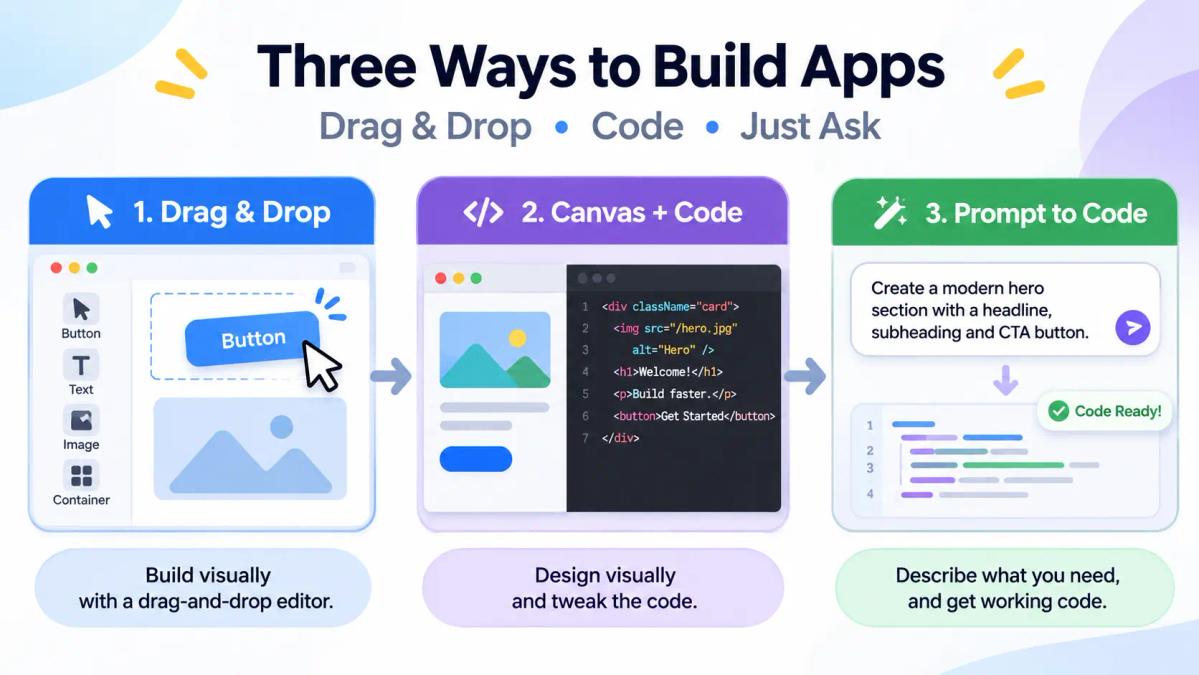
Five years ago, if you wanted software, you either learned to code or hired someone who did. Then no-code platforms exploded. Then low-code went mainstream in enterprises. Now AI code generators let people build real, deployable software by describing it in a sentence.
The lines between all three are blurring fast. Many "AI app builders" are actually no-code tools with an AI layer, and modern low-code platforms are bolting on AI features. That's exactly why the differences still matter: pick the wrong approach and you pay for it in weeks of rework.
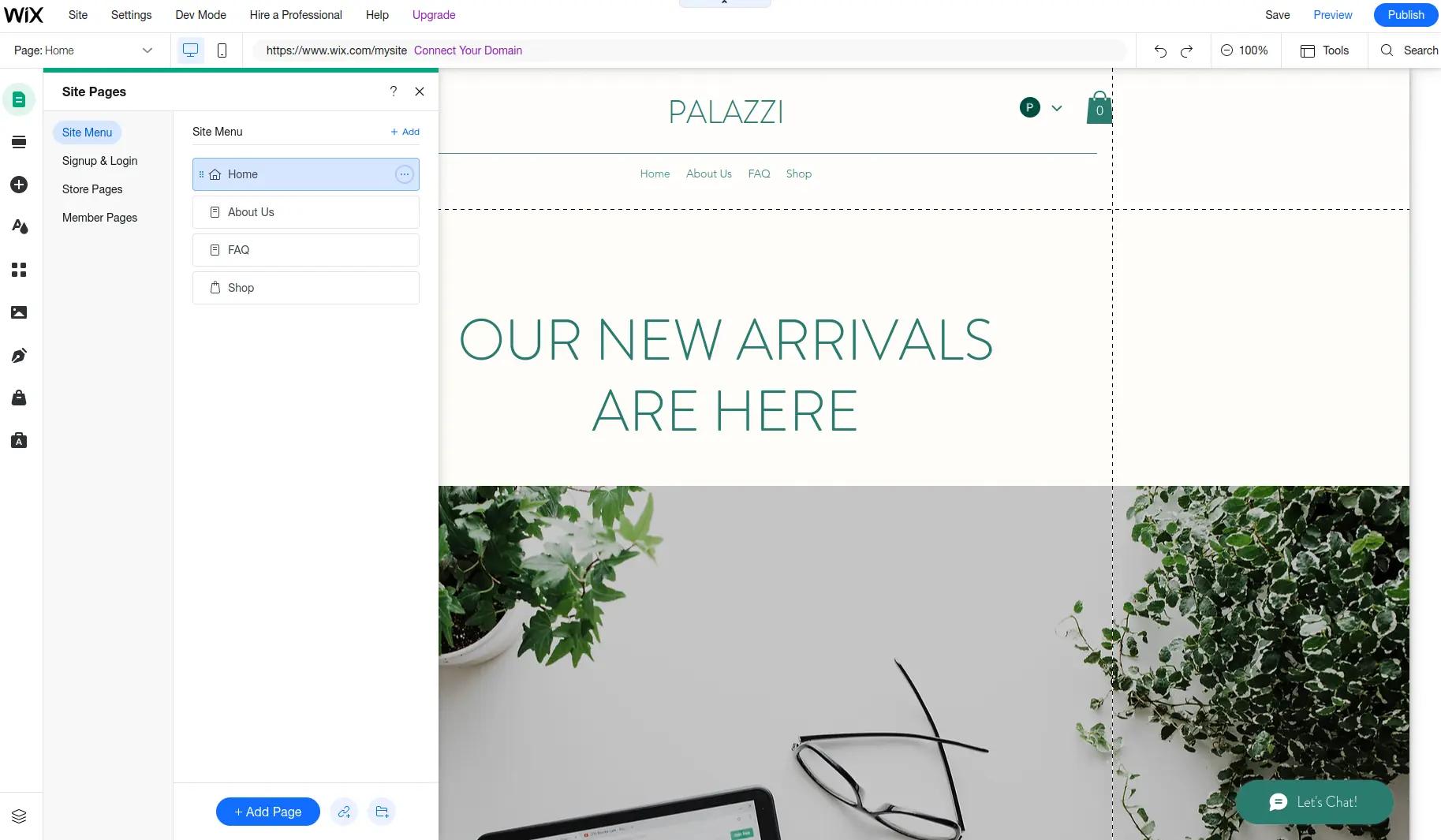
No-code replaces the act of programming with the act of assembly. Instead of writing instructions for a computer, you arrange ready-made components on a visual canvas (forms, tables, buttons, workflows) and configure their behavior through menus and toggles. Code is still involved, but the platform generates and runs it behind the scenes; you never see it and never need to. The bargain is straightforward: you trade control for speed. Whatever the platform knows how to build, you can build in hours. Whatever it doesn't, you can't build at all.
The people it serves best are, by design, non-developers. Founders use it to test a business idea before paying for an engineering team. Marketers launch landing pages without waiting weeks in a design-to-development queue. Operations teams automate approvals, trackers, and reporting dashboards without filing a single engineering ticket. Designers use Webflow to turn static mockups into live, responsive sites they can ship themselves. If you can structure a spreadsheet and describe a process in plain steps, you can run most no-code tools.
It fits a familiar set of jobs well:
Reach for it when speed matters more than control, your requirements map cleanly onto the platform's building blocks, and maintenance won't land on an engineer. A client portal built on a spreadsheet doesn't need a deployment pipeline. The more standard the app, the more this approach pays off.
The ceiling arrives quickly, though. The moment you need something the platform didn't anticipate (an odd API integration, custom business logic, anything its menus don't cover), there's no "just fix it yourself," because the internals were never yours to touch. You're also building on rented land: your app runs on the platform's infrastructure, shaped by its data model, priced on its terms. If pricing rises or the company folds, migrating away usually means rebuilding from zero rather than exporting.
In practice: a freelancer builds a client portal in Glide over a weekend. They connect a Google Sheet, drag in components, set permissions, and ship. No deployment step, no servers. Total cost: a subscription fee and two days of their time. The same portal as a custom codebase would take a developer a few weeks, plus the kind of ongoing maintenance this freelancer is happy to never think about.
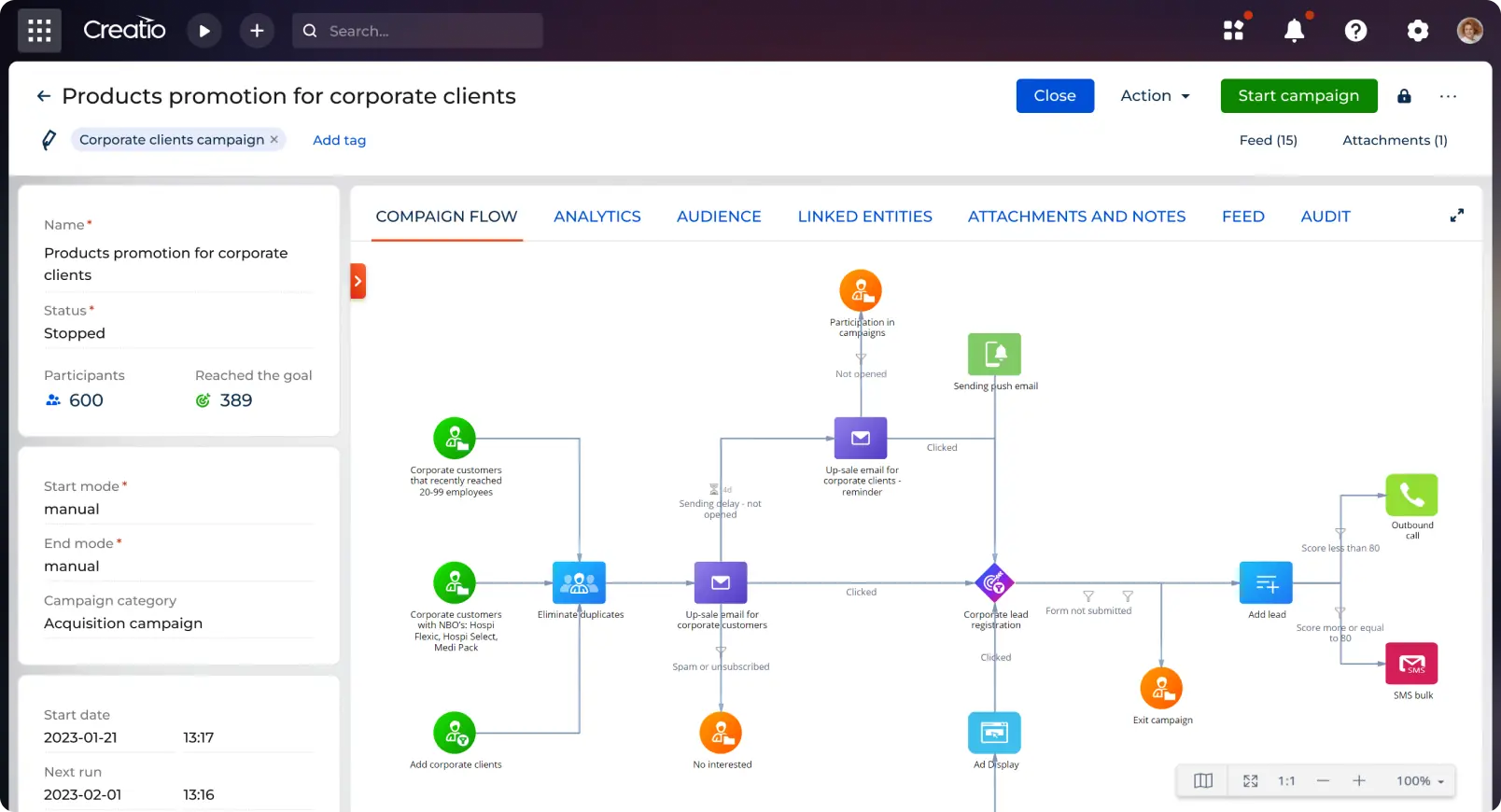
Low-code starts from the same place as no-code (assemble instead of program) and then hands you the wrench. You build visually for the parts that are conventional and drop into real code for the parts that aren't: a JavaScript function here, a SQL query there, a custom API call when the built-in connectors fall short. That escape hatch is the entire point. It's why low-code lives comfortably inside engineering organizations while pure no-code usually stays with business teams.
Its audience splits in two. The first group is developers who are tired of rebuilding the same admin table for the hundredth time and would rather drag it into existence and move on to harder problems. The second is the "citizen developer" crowd: analysts and product managers who couldn't write an app from scratch but can adjust a query or a formula when guided. Enterprise platforms like OutSystems and Mendix court both at once, pairing visual builders with the governance and audit features IT departments insist on.
Where it earns its keep:
Pick it when you want visual speed but can already see the edge cases coming: custom validation rules, or an integration with a legacy system that predates modern APIs. If you know the app will outgrow pure drag-and-drop, that escape hatch is the reason to choose it over a simpler platform.
The awkward part is the middle position itself. Non-technical users still hit a "you need code for that" wall; they just hit it later than they would in no-code. Developers sometimes find the abstractions work against them: diagnosing why a Retool query misbehaves can take longer than writing the feature from scratch. Version control and automated testing are weaker than what a real codebase offers. Then there's the price. Enterprise platforms run to tens of thousands of dollars a year, not a monthly subscription. That's a serious commitment for a small team.
In practice: an ops team builds an internal refund-approval tool in Retool in three days. Most of it is drag-and-drop: a table of orders, a form, a button. Then the fraud-check step needs data from a legacy API that returns it in a bizarre format. A developer writes 20 lines of JavaScript inside Retool to reshape it, and the tool ships on schedule. No-code couldn't have made that change; a full custom build would have taken three weeks.
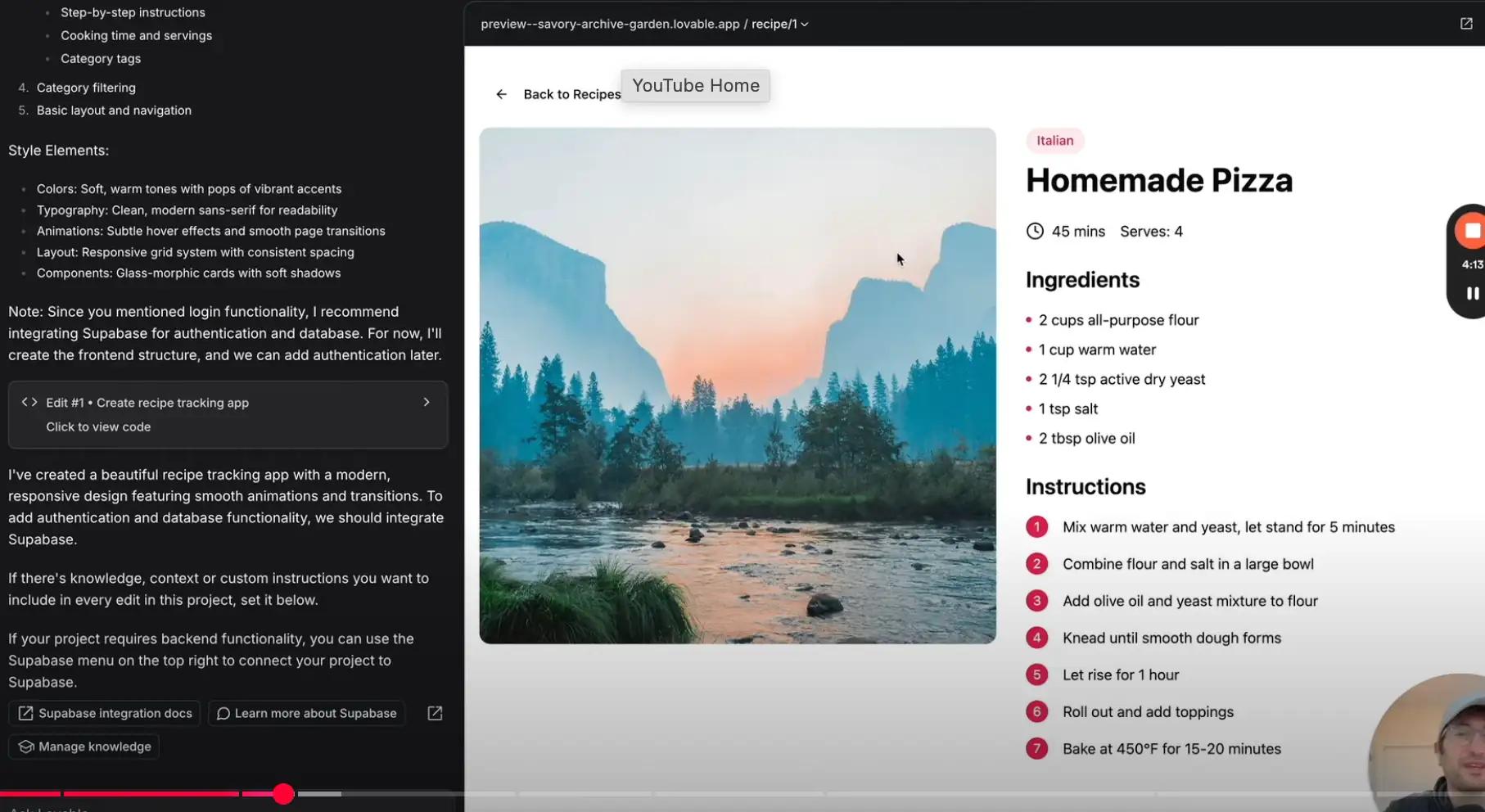
AI code generation inverts the setup. No-code and low-code hide code behind visual tools; here the visual layer disappears. You describe what you want in plain language, a comment, or half-finished code, and a model writes the rest as real source code. Nothing is locked to a platform's runtime. You get a standard codebase, in a standard language, that lives in your repository and deploys anywhere. That's the sharpest difference in this whole comparison: no-code and low-code rent you an app, while AI code generation hands you a codebase you own from the first commit.
Who benefits: three kinds of builders. Working developers use Copilot or Cursor to speed up everyday coding and stop retyping code they've already written a hundred times. Semi-technical builders use v0, Lovable, and Bolt to generate an entire app scaffold from a single prompt, then tinker with the result until it works. And then there's everyone else, pasting an error message into ChatGPT or Claude to get a one-off script, fix a bug, or understand code someone else wrote.
It's strongest in a few specific spots:
The timing question is really a question about the code itself. When the code you need is conventional, AI is excellent: models have read nearly everything ever published, and patterns that have been done a million times come out clean. When the logic is genuinely novel, the bug is obscure, or the decision is architectural, quality drops noticeably and human review becomes non-negotiable.
That last point is where it falls short. Generated code is confident even when it's wrong, and it's wrong in ways that look exactly like being right. A security hole in AI-written auth code reads just like correct auth code, unless you can read code yourself. The approach quietly assumes someone on your team can review what the model produces. It also hands you the full weight of ownership: no platform takes care of hosting, updates, or infrastructure. The code is yours, including everything that goes wrong with it.
In practice: a developer describes a pricing page (three tiers, a monthly/yearly toggle) to v0 and gets a React component in seconds. They tweak it in Cursor and ship it. Done by hand, that's half a day. But when the toggle's state quietly breaks checkout three weeks later, they debug it themselves, because the AI can't click through the full purchase flow and notice.
| No-Code | Low-Code | AI Code Generation | |
|---|---|---|---|
| Technical skill needed | None | Some (basic coding for edge cases) | Real coding skill to do it well |
| Speed to first version | Hours–days | Days | Hours–days |
| Customization ceiling | Low — platform limits | Medium–high | Unlimited — it's your code |
| Output you own | ❌ Locked to platform | ⚠️ Partially (vendor lock-in varies) | ✅ Fully portable code |
| Maintenance burden | Platform handles it | Shared | 100% yours |
| Scaling complex apps | Hard | Moderate | Full control |
| Typical tools | Bubble, Webflow, Airtable, Glide | Retool, OutSystems, Mendix | Copilot, Cursor, v0, Bolt |
| Best for | Simple apps, non-technical builders | Internal tools, semi-technical teams | Developers, custom products |
Ask yourself three questions:
1. Can you (or your team) read code at all?
2. Is your app likely to grow complex (custom logic, lots of integrations, long lifespan)?
3. Does it face real users or just your internal team?
One honest note: these approaches are converging, not competing. The strongest workflow today is often a mix: prototype in a no-code or AI builder to validate the idea fast, then rebuild (or evolve) it with AI-assisted real code once it's proven. Start where you can move fastest; migrate when the tool becomes the bottleneck, not before.
Want the speed of AI code generation without losing control of your code? That's what we build at MateAI. Come take a look.