You Built an App With AI. Here's What to Do Next
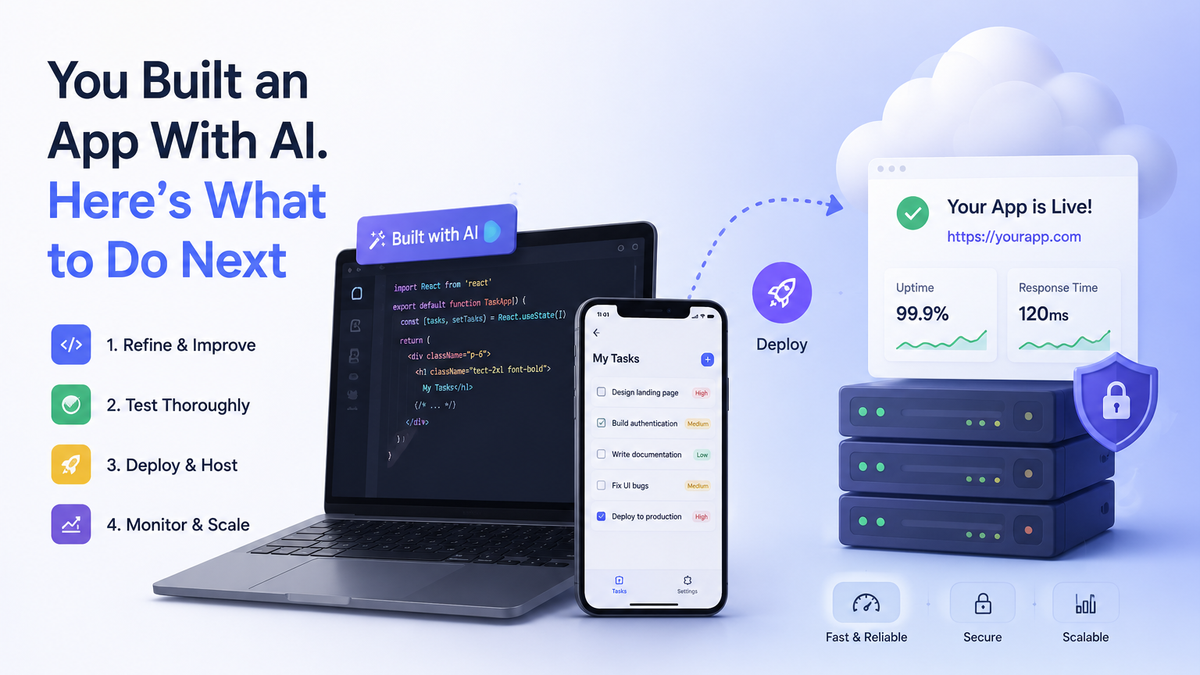
So you’ve built an app with AI. Maybe it’s a simple tool, maybe a full product. Either way, it runs on your machine, and you’re staring at it wondering: now what?
Here’s what nobody tells you: the build was the easy part. The AI wrote the code. Everything after is still on you: deploying it, finding users, keeping it secure. This is the checklist to follow the day after your app first runs.
The Quick Answer
Here’s the short version. Deploy the app on a host that matches your stack: Vercel or Netlify for frontend-only builds, Railway or Render for full-stack apps. Launch it where your niche already hangs out rather than in front of the general public. Watch analytics to see what users actually do, then iterate. Finally, lock down the basics: HTTPS, secrets kept out of your frontend code, rate limiting, and backups.
Step 1: Get It Live
Until you deploy, you don’t have an app. You have a localhost hobby. Here’s how to get it online.
Domain first. Pick a name that matches your brand or clearly says what the product does. A few honest options:
- Porkbun: cheap, with renewal prices that don’t ambush you
- Namecheap: a solid all-rounder with easy DNS management
- GoDaddy: the biggest name; expect upsells at checkout
Then hosting. The trick is matching the host to your app rather than chasing the biggest name:
- For Frontend Only (Landing page or static site)
- Vercel
- Netlify
- Cloudflare Pages
- For Frontend + Backend
- Railway
- Render
- Fly.io
- For Frontend + Backend on a Bigger Scale
- AWS
- Google Cloud
- Azure
Some of the platforms above offer a free tier, so you can host your MVP there at no cost.
Built on a no-code platform such as Replit, Lovable, or Framer? Deployment is usually included: you get a subdomain and can attach your own domain in the settings. Vibe-coded in Cursor or VS Code? The table above is your path.
Step 2: Find Your First Users
First, the advice that would have saved everyone months: the best time to find users is before you build. An audience waiting for your app beats an app waiting for an audience. If you’re reading this after shipping, here’s how to catch up.
Go where your niche already is. Don’t announce your app to the general public and hope someone lands on it. The general public didn’t ask. Find the specific subreddit, Facebook group, or X community where your exact users hang out. A to-do app belongs in ADHD communities, student groups, and wedding-planning forums, not on the front page of everything.
- X: build in public. Post progress, mistakes, and real numbers. People root for builders.
- Reddit: highest traffic, lowest tolerance for hit-and-run promotion. Be a member of the subreddit first, read the rules, and share the story behind the link.
- TikTok / Instagram: thirty-second demos of your app solving one specific problem.
- LinkedIn: if your app is for work or business, this is where those people are in work mode.
- Facebook groups: underrated. Niche groups (students, brides, ADHD parents) are small but engaged.
Product Hunt is worth a shot too. A good launch can spike your traffic for days, and Product of the Day can change your week. Prepare your page, make a short demo GIF, and answer every single comment on launch day.
Then there’s the unglamorous option that works: the cold email or DM. Contact people who genuinely match your product. Keep it short, personal, and specific: why them, what it does, one link. Never send a copy-paste blast.
Step 3: Watch What Users Actually Do
Once people arrive, feelings stop counting and data starts. Set up analytics early: Google Analytics is free, or Plausible if privacy is part of your product’s pitch.
In the first weeks, three numbers matter more than everything else:
- Sign-ups: did anyone cross the door?
- Return visits: did they come back after day one? (This one hurts, but it’s the truth serum.)
- The one feature they actually use: it’s rarely the one you spent the most time on.
Then talk to the humans behind the numbers. One question, sent personally: “What almost stopped you from signing up?” The answers will be more useful than a month of guessing.
When the answers come in, fix small things, ship them weekly, and tell the users you did. Users forgive early roughness. They don’t forgive silence.
Step 4: Lock the Door (Security for AI-Built Apps)
This is the part that matters more for AI-built apps than any other kind. AI tools are great at shipping features, and famous for shipping them with the door unlocked: API keys pasted into frontend code, placeholder logins, no rate limiting. This isn’t carelessness. AI builds what you describe, and security is the part nobody describes.
The checklist:
- Use HTTPS everywhere. Every modern host gives you a free certificate. If your site loads without the padlock, stop everything and fix this today.
- Keep secrets server-side. API keys and database passwords live in environment variables on the server, never in frontend code. This is the single most common AI-app mistake; the model will happily paste your key into code the whole world can read.
- Rate-limit your login and signup endpoints. Otherwise one bored script can hammer them all night.
- Replace placeholder auth. If the AI scaffolded a “demo login,” it only looks like a lock.
- Update dependencies when the alerts come in.
- Back up your database. Automatic if possible. Test the restore once.
- Add a privacy policy and terms if you have user accounts; app stores and ad platforms will ask for them anyway.
You don’t need to become a security expert. Be a harder target than the house next door.
FAQ
Do I Need to Know How to Code to Maintain an AI-Built App?
No, but you need to be comfortable reading it. The skill shifts from writing code to directing it: describing what you want, pasting error messages back at the AI, and recognizing when its suggested fix is worse than the bug. That last one takes practice.
How Much Does It Cost to Keep an App Running?
Less than you’d think. A domain runs $10 to $15 a year. Hosting starts free and realistically lands around $5 to $10 a month for a small app. The real cost is your time: maintenance, support, and fixes.
When Should I Start Charging?
Earlier than feels comfortable. Free users give you feedback; paying users give you the truth. If nobody will pay a few dollars a month for your app, that’s information, and it’s better to learn it in month two than in year two.
Conclusion
The AI built the app. Everything on this list is what turns it into a product: get it live on a host that fits, launch it where your people already are, watch what they actually do instead of what you hoped, and lock the door behind you.
None of it is difficult, but it all takes time, and that time adds up week after week. If you’d rather spend your hours on the product and the users than on deployments, security patches, and midnight bug fixes, that’s exactly what mateai.dev is for. It’s a team that takes AI-built apps, customizes them faster, ships them secure, and handles the maintenance, support, and fixes. The “what next” on this list becomes someone else’s job.
Have an idea worth shipping?
Book a free 30-minute call — no sales pitch, just a clear plan and a fixed-price quote for your product.